Guide
Automations: how autopilot works
An automation is the whole product in miniature: you choose the topics and the rhythm once, and it keeps planning, writing and publishing without you. Here is exactly how it works.
What an automation is
An automation is a saved setup: one site, a list of topics (with an optional brief per topic), a publishing rhythm, a language, and three choices — does it publish straight away, save drafts, or just generate. On paid plans you can run as many automations as you like: one per site, one per topic cluster, one per client.
Setting one up
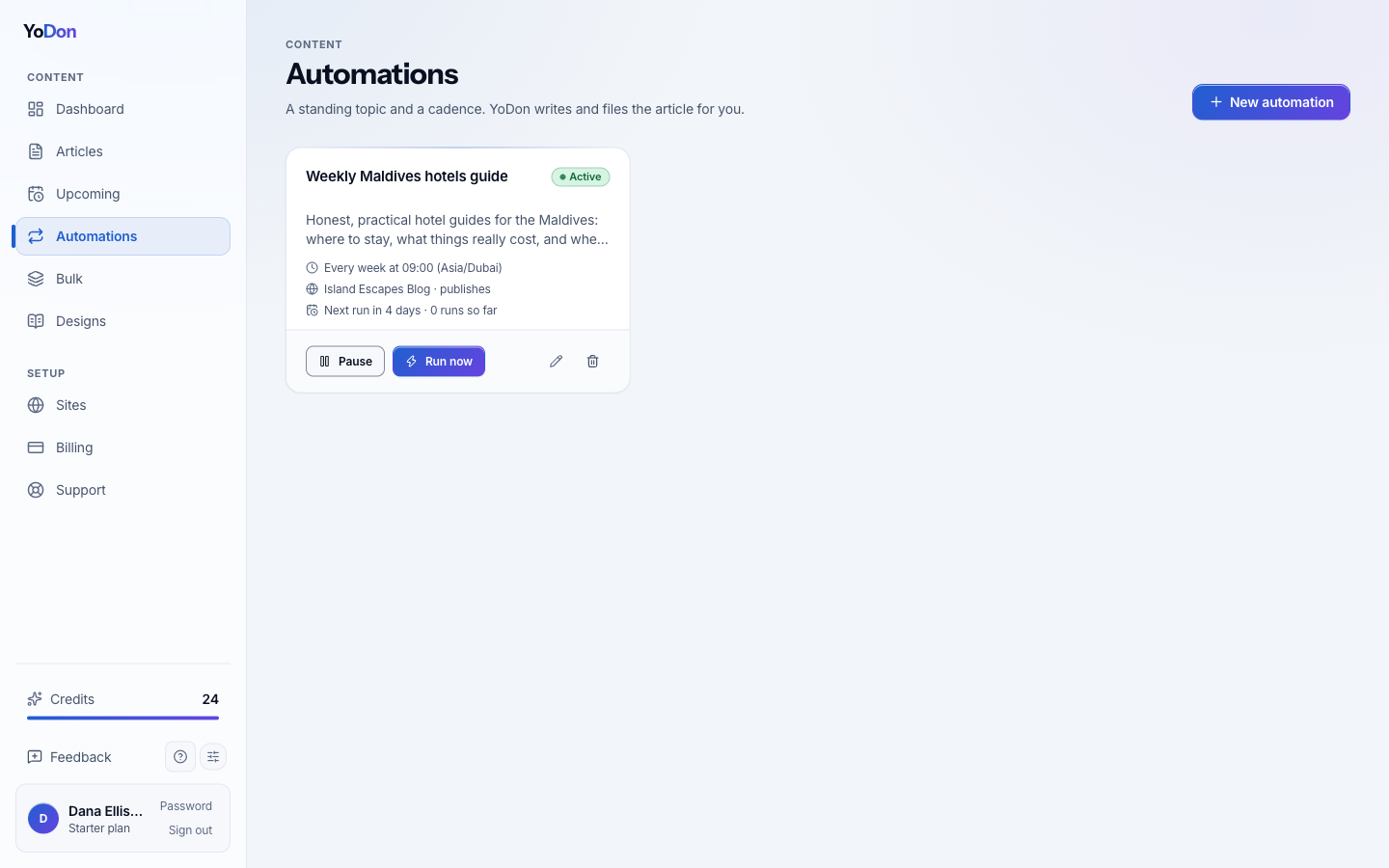
Name it, pick the site, add the topics you want covered, and set the rhythm — daily, twice a week, weekly, monthly, or a custom interval, at the hour and timezone you choose. Choose what happens to each article when it's written, and turn on the passes you want: live research with cited sources, internal links to your own posts, and links out to the sources.
The plan you can see
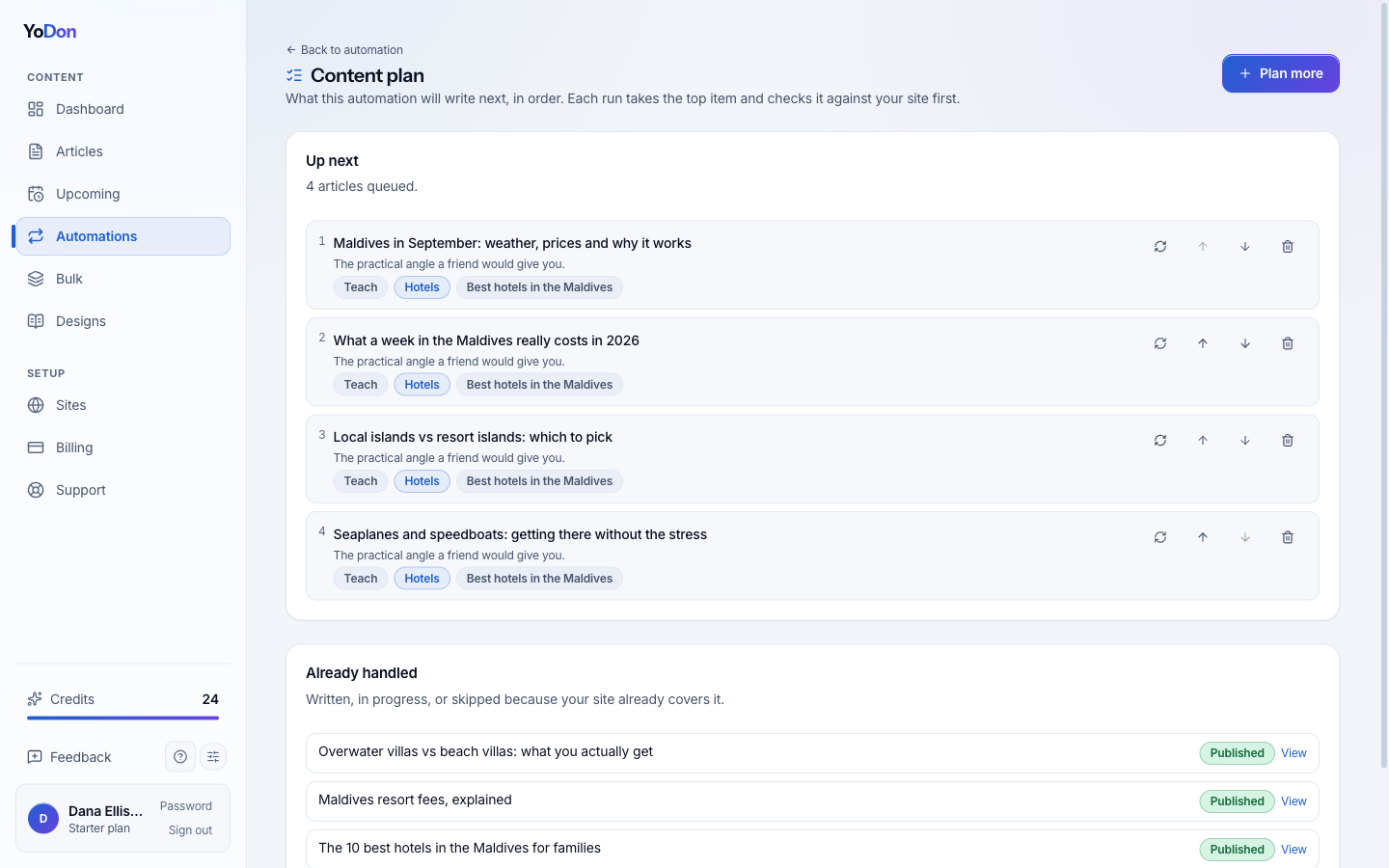
Nothing here is a black box. Each automation keeps a visible content plan — the specific articles it intends to write, in order, with the angle, the search intent, the category and the topic behind each one. You can edit any title, drag the order, delete what you don't like, or hit regenerate and have a fresh idea planned for that slot. When the queue runs low, new ideas are planned automatically — and every one is checked against everything your site has already published before a single credit is spent, so duplicates are skipped, not written.
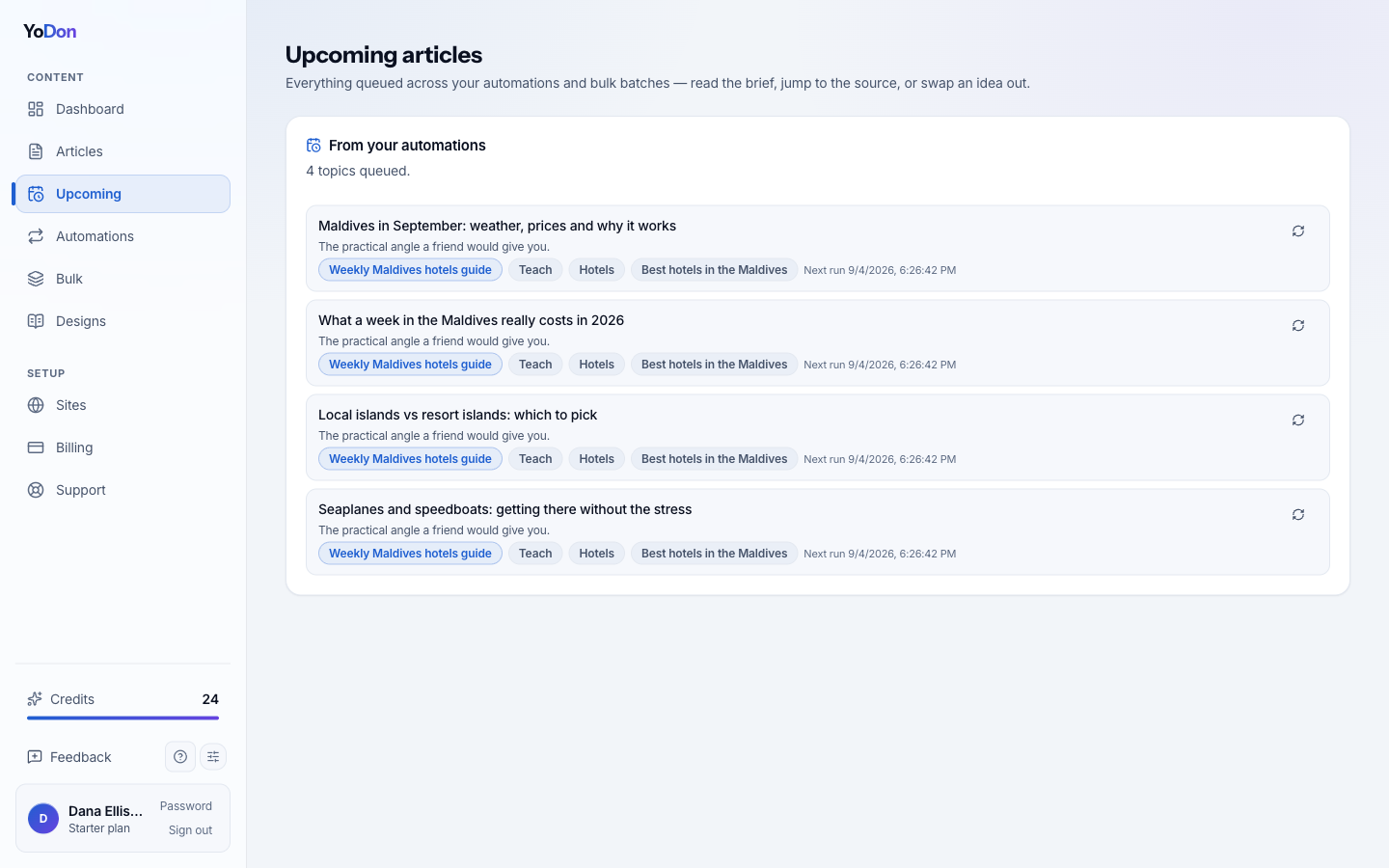
The Upcoming page in the sidebar shows every automation's queue in one place, plus any bulk batches still waiting, so the next few weeks are always on the table.
What happens on run day
At the scheduled time, YoDon takes the top item in the plan, checks it against your site's existing articles one more time, and runs the full pipeline: brief, research, write, optimise, image, publish. The item is marked done, the next run is scheduled, and you get an email saying what happened. Nothing about the run needs you — but everything about it is visible afterwards: the article, its sources, and the plan item it came from.
Pausing, changing, stopping
Pause and resume from the card, any time — a paused automation simply stops taking its turn. Edit the topics, brief, rhythm or publish mode whenever you like; the changes apply from the next run. Set it to drafts instead of publishing if you want to read before anything goes live. And if an automation runs out of credits, it pauses itself and emails you rather than failing silently — it resumes when your allowance refills or you top up.